Hello,
I’m new here and this is my first post. I have a question regarding mkclean and Dolby Vision in MKV files.
I currently have a remuxed .mkv file containing Dolby Vision, and I’m considering using mkclean to optimize the container. In particular, I’m interested in using the --optimize and --remux options.
Since mkclean modifies the Matroska container structure (e.g. reordering elements, cleaning non-standard data, and optionally remuxing clusters), I would like to know:
Does mkclean preserve Dolby Vision metadata 100% reliably in the output file, regardless of the DV profile?
I understand that mkclean does not re-encode the video stream, but Dolby Vision in MKV seems to be sensitive to container-level changes, so I’m concerned whether such structural modifications alone could affect DV playback or detection in compatible players.
Also, I noticed that mkclean has not been updated since January 2021 (latest version 0.9.0) .
In general, is it still considered safe to use mkclean today, especially for more complex or non-standard content such as Dolby Vision?
I realize this forum is mainly for MKVToolNix, but I couldn’t find a more appropriate place to ask about mkclean. Since it is also part of the Matroska ecosystem, I hope it’s okay to ask here.
Thank you in advance.
Welcome!
As you likely know mkclean is not part of the MKVToolNix package, and I don’t think the mkclean author, Steve Lhomme, frequents this forum much if at all. In short, I don’t think we can answer your question with authority (I know I can).
On the other hand ask yourself what using mkclean actually gets you apart from the uncertainty. Let’s assume that --optimize produces slightly smaller files at the cost of removing certain parts of the file that’re needed if you ever want to edit the file in-place with e.g. mkvpropedit / the MKVToolnix GUI header editor. Let’s be really generous here and say that using --optimize results in a file that’s 100 KB smaller than the file produced by mkvmerge. Let’s further assume you have an extensive movie collection of around 3.000 movies. Using --optimize on all of them would yield a gain of a whopping 300 MB of saved space. Now think of how big a single movie file is — for an HD movie, not heavily compressed, especially containing Dolby Vision, it’ll easily be 5 GB upwards. Meaning with all that work, with all those movies processed, you would only have saved less than 10% of a single movie file in space in total.
Ah, I didn’t know about that information you shared with me—now it makes sense. Especially this part you mentioned: ‘Let’s assume that --optimize produces slightly smaller files at the cost of removing certain parts of the file that’re needed if you ever want to edit the file in-place with e.g. mkvpropedit / the MKVToolnix GUI header editor.’ I’ll stick with MKVToolNix.
Thank you for your reply, for your time, and for bringing up this point to think about.
While we’re on the topic, I’d like to ask one more question about a different subject (but I can open a new thread if you prefer). I noticed that MKVToolNix lost implementation #2774, which was introduced in v46, but I don’t remember in which later version it was removed. Implementation #2774 is described like this: ‘mkvmerge: when reading MPLS playlists mkvmerge will include a tag named SOURCE_ID in the track’s statistics tags that conveys the fact that the source was a Blu-ray and what the track’s ID was in the source container. When reading Matroska file existing SOURCE_ID tags will be kept. The format used is the same format MakeMKV uses.’
I even thought about opening an issue on codeberg.org. However, I also considered that you might have intentionally decided to remove this in later versions—in that case, it would avoid adding more issues to the site and taking up your time. If you’re not aware of this, I can create an issue if you’d like. Just to be clear, I’m not demanding anything, but I really liked this implementation.
Thanks again!
No, the feature wasn’t removed, nor was it turned off. The code is definitely still there (I’ve just checked). And it definitely still works, too, both during identification and when writing the actual tag. Here’s a run I’ve just completed, first part: remux of Blu-ray to Matroska:
[0 mosu@sweet-chili 0.038s /ftp/pub/rip/bluray/Norah Jones — Live at Ronnie Scott's/BDMV/PLAYLIST] mkvmerge -J 00001.mpls | jq '.tracks | map(.properties.stream_id)'
[
  4113,
  4352,
  4608,
  4609,
  4610,
  4611,
  4612
]
[0 mosu@sweet-chili 0.041s /ftp/pub/rip/bluray/Norah Jones — Live at Ronnie Scott's/BDMV/PLAYLIST] mkvmerge -o v.mkv 00001.mpls
mkvmerge v98.0 ('Chonks') 64-bit
'/mnt/adara/space/ftp/pub/rip/bluray/Norah Jones — Live at Ronnie Scott's/BDMV/STREAM/00001.m2ts': Using the demultiplexer for the format 'MPEG transport stream'.
'/mnt/adara/space/ftp/pub/rip/bluray/Norah Jones — Live at Ronnie Scott's/BDMV/STREAM/00001.m2ts' track 0: Using the output module for the format 'AVC/H.264 (unframed)'.
'/mnt/adara/space/ftp/pub/rip/bluray/Norah Jones — Live at Ronnie Scott's/BDMV/STREAM/00001.m2ts' track 1: Using the output module for the format 'PCM'.
'/mnt/adara/space/ftp/pub/rip/bluray/Norah Jones — Live at Ronnie Scott's/BDMV/STREAM/00001.m2ts' track 2: Using the output module for the format 'HDMV PGS'.
'/mnt/adara/space/ftp/pub/rip/bluray/Norah Jones — Live at Ronnie Scott's/BDMV/STREAM/00001.m2ts' track 3: Using the output module for the format 'HDMV PGS'.
'/mnt/adara/space/ftp/pub/rip/bluray/Norah Jones — Live at Ronnie Scott's/BDMV/STREAM/00001.m2ts' track 4: Using the output module for the format 'HDMV PGS'.
'/mnt/adara/space/ftp/pub/rip/bluray/Norah Jones — Live at Ronnie Scott's/BDMV/STREAM/00001.m2ts' track 5: Using the output module for the format 'HDMV PGS'.
'/mnt/adara/space/ftp/pub/rip/bluray/Norah Jones — Live at Ronnie Scott's/BDMV/STREAM/00001.m2ts' track 6: Using the output module for the format 'HDMV PGS'.
The file 'v.mkv' has been opened for writing.
'/mnt/adara/space/ftp/pub/rip/bluray/Norah Jones — Live at Ronnie Scott's/BDMV/STREAM/00001.m2ts' track 0: Extracted the aspect ratio information from the video bitstream and set the display dimensions to 1920/1080.
The cue entries (the index) are being written...
Multiplexing took 18 seconds.
[0 mosu@sweet-chili 18.042s /ftp/pub/rip/bluray/Norah Jones — Live at Ronnie Scott's/BDMV/PLAYLIST] mkvextract v.mkv tags - | rg -A 1 SOURCE_ID
      <Name>SOURCE_ID</Name>
      <String>001011</String>
--
      <String>BPS DURATION NUMBER_OF_FRAMES NUMBER_OF_BYTES SOURCE_ID</String>
    </Simple>
--
      <Name>SOURCE_ID</Name>
      <String>001100</String>
--
      <String>BPS DURATION NUMBER_OF_FRAMES NUMBER_OF_BYTES SOURCE_ID</String>
    </Simple>
--
      <Name>SOURCE_ID</Name>
      <String>001200</String>
--
      <String>BPS DURATION NUMBER_OF_FRAMES NUMBER_OF_BYTES SOURCE_ID</String>
    </Simple>
--
      <Name>SOURCE_ID</Name>
      <String>001201</String>
--
      <String>BPS DURATION NUMBER_OF_FRAMES NUMBER_OF_BYTES SOURCE_ID</String>
    </Simple>
--
      <Name>SOURCE_ID</Name>
      <String>001202</String>
--
      <String>BPS DURATION NUMBER_OF_FRAMES NUMBER_OF_BYTES SOURCE_ID</String>
    </Simple>
--
      <Name>SOURCE_ID</Name>
      <String>001203</String>
--
      <String>BPS DURATION NUMBER_OF_FRAMES NUMBER_OF_BYTES SOURCE_ID</String>
    </Simple>
--
      <Name>SOURCE_ID</Name>
      <String>001204</String>
--
      <String>BPS DURATION NUMBER_OF_FRAMES NUMBER_OF_BYTES SOURCE_ID</String>
    </Simple>
```
And here’s re-muxing that Matroska file to another Matroska file & checking that one:
[0 mosu@sweet-chili 0.021s /ftp/pub/rip/bluray/Norah Jones — Live at Ronnie Scott's/BDMV/PLAYLIST] mkvmerge -o v2.mkv v.mkv
mkvmerge v98.0 ('Chonks') 64-bit
'v.mkv': Using the demultiplexer for the format 'Matroska'.
'v.mkv' track 0: Using the output module for the format 'AVC/H.264'.
'v.mkv' track 1: Using the output module for the format 'PCM'.
'v.mkv' track 2: Using the output module for the format 'HDMV PGS'.
'v.mkv' track 3: Using the output module for the format 'HDMV PGS'.
'v.mkv' track 4: Using the output module for the format 'HDMV PGS'.
'v.mkv' track 5: Using the output module for the format 'HDMV PGS'.
'v.mkv' track 6: Using the output module for the format 'HDMV PGS'.
The file 'v2.mkv' has been opened for writing.
The cue entries (the index) are being written...
Multiplexing took 11 seconds.
[0 mosu@sweet-chili 11.462s /ftp/pub/rip/bluray/Norah Jones — Live at Ronnie Scott's/BDMV/PLAYLIST] mkvextract v2.mkv tags - | rg -A 1 SOURCE_ID
      <Name>SOURCE_ID</Name>
      <String>001011</String>
--
      <String>BPS DURATION NUMBER_OF_FRAMES NUMBER_OF_BYTES SOURCE_ID</String>
    </Simple>
--
      <Name>SOURCE_ID</Name>
      <String>001100</String>
--
      <String>BPS DURATION NUMBER_OF_FRAMES NUMBER_OF_BYTES SOURCE_ID</String>
    </Simple>
--
      <Name>SOURCE_ID</Name>
      <String>001200</String>
--
      <String>BPS DURATION NUMBER_OF_FRAMES NUMBER_OF_BYTES SOURCE_ID</String>
    </Simple>
--
      <Name>SOURCE_ID</Name>
      <String>001201</String>
--
      <String>BPS DURATION NUMBER_OF_FRAMES NUMBER_OF_BYTES SOURCE_ID</String>
    </Simple>
--
      <Name>SOURCE_ID</Name>
      <String>001202</String>
--
      <String>BPS DURATION NUMBER_OF_FRAMES NUMBER_OF_BYTES SOURCE_ID</String>
    </Simple>
--
      <Name>SOURCE_ID</Name>
      <String>001203</String>
--
      <String>BPS DURATION NUMBER_OF_FRAMES NUMBER_OF_BYTES SOURCE_ID</String>
    </Simple>
--
      <Name>SOURCE_ID</Name>
      <String>001204</String>
--
      <String>BPS DURATION NUMBER_OF_FRAMES NUMBER_OF_BYTES SOURCE_ID</String>
    </Simple>
I’m glad to know this implementation is being maintained!
I had previously come to a different conclusion because, a few days ago, I remuxed a two-minute Blu-ray extra into Matroska from the Blu-ray playlist, and the tags were not written—I confirmed this using MediaInfo and mkvpropedit.
After reading your response, I repeated the same process, and also tried it with the main content (the film). This time, the tags were written correctly in both cases.
I’m not sure what happened earlier, and I don’t recall adding any option that would disable writing those tags.
I’ll let you know if something similar happens again in the future. In any case, please consider this a false alarm, and I apologize for the confusion.
And thank you once again for your attention!
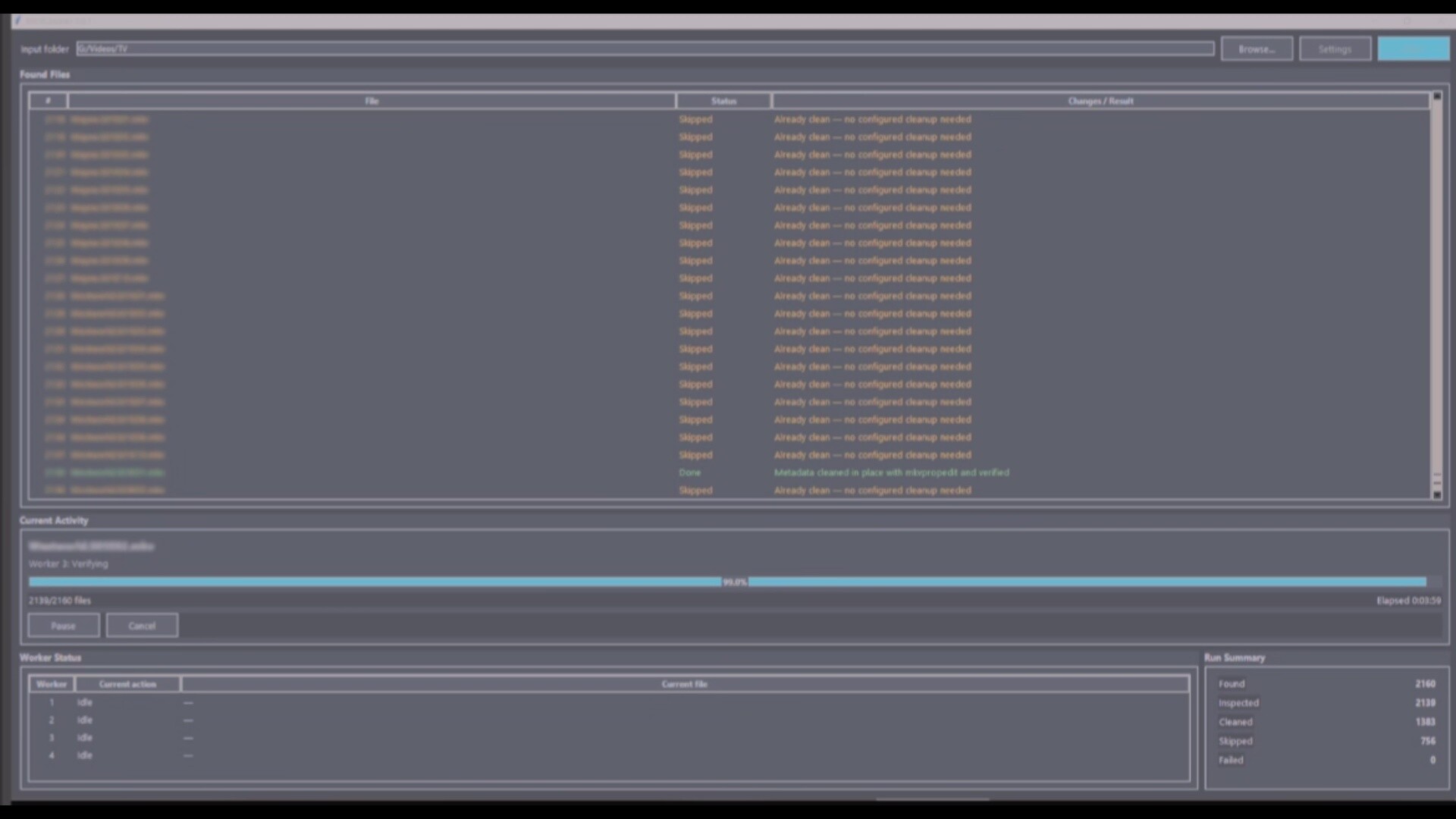
I built my own program with AI, that queues all files in a directory recursively and just removes all global tags, track tags, title and attachments but default, but it is configurable. It mostly just uses mkvpropedit unless you chose certain settings, then it may have to mux, and it warns you, but I assume it will not harm the video file’s playability, I need to do a lot of testing still. I normally remove these tags and title anyway in MKVTookNix and just needed a good way to have it go through a lot of files very fast, and this is quick. Removing the attachments can effect subtitles, but I have never had any big issues yet, maybe I have been lucky.